How to Prevent Battery Degradation and Extend Battery Life?

Time:2026-09-11 Author:Sienna
0%

Battery degradation is not a sudden failure. It is a gradual chemical and physical change inside the cell. Each charging cycle can reduce a small part of its capacity, even when the battery appears healthy. Understanding what causes battery degradation helps users make better daily decisions, from charging habits to storage conditions.

Professor Jeff Dahn, a leading lithium-ion battery researcher, has said, “Heat is the number one enemy of batteries.” This warning is practical, not theoretical. A phone left on a car dashboard may become noticeably hot within minutes. An electric vehicle charging rapidly in summer weather faces similar thermal stress. High temperatures accelerate unwanted reactions inside the battery, while very low temperatures can increase resistance and reduce temporary performance.

High charge levels also matter. Keeping a device at 100% for long periods can place extra stress on its cells. Frequent fast charging, deep discharges, physical damage, and poor-quality chargers may add further strain. Still, not every battery problem comes from user behavior. Manufacturing differences, software controls, and natural aging also influence the result.

The goal is not perfect charging. That is unrealistic. A more useful approach is reducing repeated stress: keep batteries cool, avoid unnecessary full discharges, and use trusted charging equipment. Many manufacturers recommend moderate charging ranges for long-term storage. However, recommendations vary by battery design, so official guidance should remain the most reliable reference. Small habits may not transform battery life overnight, but they can preserve useful capacity over months and years. I used to treat charging as harmless routine; the evidence suggests it deserves more attention.
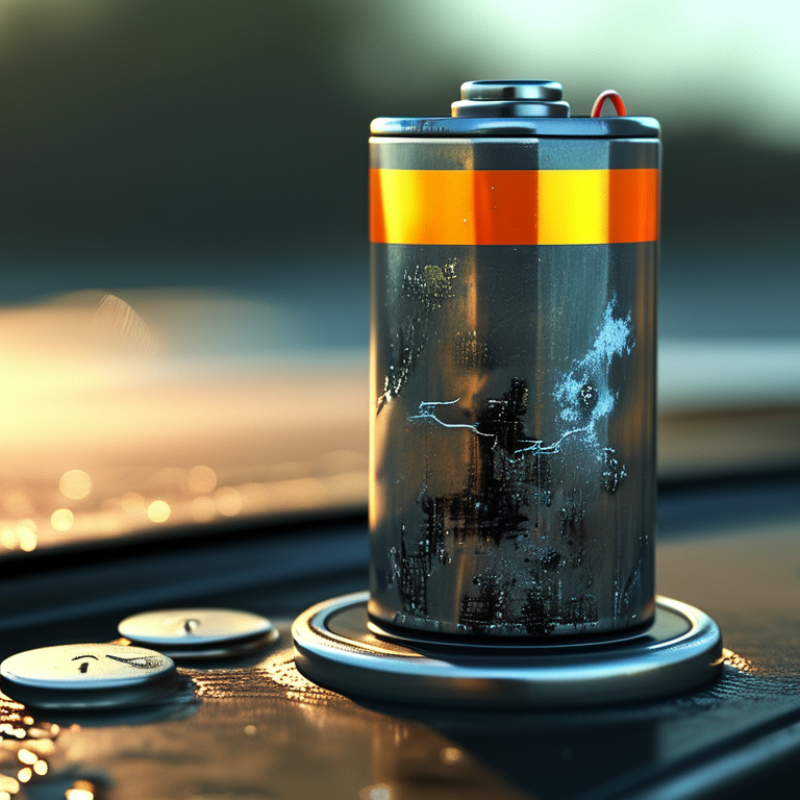
How to Prevent Battery Degradation and Extend Battery Life?

Understanding the Causes and Signs of Battery Degradation

Battery degradation is the gradual loss of a battery’s ability to store and deliver energy. It usually comes from repeated charging cycles, high temperatures, deep discharges, and long periods at full charge. Heat is especially damaging. A battery left in a hot car may age faster than one used in a cool room. High charging speed can also create extra heat, although the effect depends on the battery design.

The signs are often easy to miss. Shorter runtime is the most common warning. A device may show 30% charge, then shut down suddenly. Voltage can also drop during demanding tasks, such as recording video or running powerful software. Unusual warmth, slower charging, or a battery that drains while idle deserves attention. Physical swelling is more serious. Stop using the device and seek qualified service if the casing lifts or separates.

Good habits can slow the process. Keep the battery away from direct sunlight and extreme temperatures. Avoid draining it completely whenever practical. Partial charging is generally gentler than constant full discharge. If a device will sit unused, store it partly charged in a dry, cool place. Battery readings are not perfect, and software estimates can be wrong. I used to trust the percentage display too much. A longer runtime test often reveals more than one number. Never puncture, crush, or open a swollen battery.

How to Prevent Battery Degradation and Extend Battery Life?

Lithium-ion batteries gradually lose usable capacity as charge cycles, high temperatures, deep discharges, and long periods at full charge accelerate chemical aging. Keeping the battery cool, avoiding frequent 0% discharges, and using moderate charging levels can help slow degradation. A capacity near 80% of the original rating is commonly used as an end-of-life reference, although the exact limit depends on the battery design and application.

Choosing Safe Charging Practices for Longer Battery Life

Safe charging begins with temperature, not speed.
Lithium-ion cells age faster when repeatedly charged while hot. The U.S. Department of Energy’s Vehicle Technologies Office identifies moderate temperatures as better for battery performance and durability. I avoid charging immediately after hard driving. I let the pack cool first.

Partial charging is usually gentler than repeated full charges. A practical routine keeps the battery between roughly 20% and 80% for daily use. This is not a perfect rule. Longer trips still justify a full charge. However, leaving a battery at 100% for many hours adds unnecessary stress. A 2024 Geotab battery-health report, analyzing thousands of electric vehicles, found average capacity loss near 1.8% annually, with heat and frequent high-power charging linked to faster decline.

High-power charging needs more care in cold weather. Research published in Nature Energy found that lithium plating can occur when lithium-ion batteries charge rapidly at low temperatures. That damage may reduce usable capacity and create safety concerns. Use scheduled charging when possible, and select a lower charging rate at home. I once treated the fastest setting as automatically better. It was convenient, but not always sensible.

Keep charging equipment dry and undamaged. Do not cover a warm battery or place cables under rugs. Stop using equipment that shows melting, burning smells, or unusual heat. These details seem minor. They are not. Regular software updates may improve charging control, but owners should still check the vehicle’s temperature and charging guidance.

Managing Temperature and Usage to Reduce Battery Stress

How to Prevent Battery Degradation and Extend Battery Life?

Managing Temperature and Usage to Reduce Battery Stress

Battery temperature strongly affects long-term performance. Lithium-ion batteries age faster when they remain hot for hours. Avoid leaving a device in direct sunlight, inside a parked car, or under a pillow while charging. A cool, ventilated surface is safer. If the battery feels unusually warm, pause demanding tasks and let it rest.

Charging habits also matter. You do not need to drain the battery completely before recharging. Frequent deep discharges can add unnecessary stress. Keeping the charge within a moderate range often supports better battery health, especially during daily use. However, strict routines are not always practical. I still forget and leave devices charging overnight sometimes. One mistake is unlikely to cause serious harm, but repeated heat exposure can.

Heavy workloads create extra heat. Gaming, navigation, video editing, and constant wireless activity may warm the device quickly. Reduce screen brightness when possible, close unused applications, and avoid charging during intensive tasks. Extreme cold can also reduce performance temporarily, so allow a cold device to return to room temperature before demanding use. Battery readings are not perfectly precise. Treat them as guidance, not absolute measurements. Regular updates and accurate charging information can help, but careful temperature management remains the more dependable habit.

How to Prevent Battery Degradation and Extend Battery Life? - Managing Temperature and Usage to Reduce Battery Stress
Battery-Stress Factor Practical Range or Threshold Degradation Risk Why It Matters Recommended Practice
Normal operating temperature Approximately 15–25 °C (59–77 °F) Low Lithium-ion batteries generally experience slower aging at moderate temperatures. Use and charge the device in a cool, well-ventilated environment whenever possible.
Warm operating or charging conditions Above approximately 35 °C (95 °F) Increasing Heat accelerates unwanted chemical reactions inside the cell and can reduce long-term capacity. Remove insulating covers during charging, keep the device out of direct sunlight, and avoid charging under bedding or in a hot vehicle.
High-temperature exposure Above approximately 45 °C (113 °F) High Prolonged exposure to elevated temperatures can permanently accelerate capacity loss and increase safety risks. Stop intensive use, move the device to a cooler location, and allow it to cool naturally before charging.
Charging below freezing Below 0 °C (32 °F) High Charging a cold lithium-ion cell can cause lithium plating, which may permanently reduce capacity and increase internal damage. Allow the battery to warm above freezing before charging. Do not use external high heat to warm it rapidly.
Very low state of charge Below approximately 10% Increasing Repeated deep discharges place additional stress on the cell and may trigger protective shutdowns. Recharge before the battery reaches critically low levels, especially during frequent daily use.
Typical daily charge window Approximately 20–80% Lower Using a partial state-of-charge range generally reduces voltage and chemical stress compared with repeatedly using the full range. Use an 80% charge limit when the device supports it and full capacity is not required.
Long periods at 100% charge Several days or longer Increasing High state of charge combined with heat accelerates calendar aging, even when the device is not heavily used. For long stationary periods, avoid leaving the battery continuously full and keep the device cool.
Long-term storage level Approximately 40–60% Lower A moderate charge level reduces the stress associated with storing a lithium-ion battery fully charged or fully depleted. Store in a cool, dry place and check the charge periodically to prevent complete discharge.
High-power use while charging Gaming, high-performance computing, or other sustained loads Increasing Simultaneous charging and heavy usage generates additional heat and may keep the battery at a high temperature for longer. Reduce demanding workloads during charging, improve ventilation, or use a lower-performance mode.
Fast charging High charging power, especially in warm conditions Condition-dependent Higher charging currents can create more heat and stress, although built-in battery-management systems limit charging when necessary. Use standard charging when speed is not important, and avoid fast charging when the device is already hot.
Physical ventilation Airflow around the device and charger Lower Good airflow helps dissipate heat produced during charging and high-load operation. Keep vents unobstructed and place the device on a hard, open surface rather than a soft surface.
Battery replacement indicator Noticeable runtime loss, swelling, overheating, or unexpected shutdowns Service required These symptoms may indicate advanced aging, cell damage, or a safety problem that software settings cannot correct. Stop using a swollen or damaged battery and arrange inspection or replacement through a qualified service provider.
Note: The ranges above are general guidance for rechargeable lithium-ion batteries. Actual limits vary by cell chemistry, battery-management system, device design, age, and manufacturer specifications. Always follow the operating and charging limits provided for the specific device.

Optimizing Storage Conditions for Battery Health

How to Prevent Battery Degradation and Extend Battery Life?

Storage conditions strongly influence battery health, especially during long periods of inactivity. Keep rechargeable batteries in a cool, dry room, ideally between 15°C and 25°C. Avoid direct sunlight, heaters, damp cabinets, and freezing temperatures. Heat speeds chemical aging, while moisture can damage terminals and protective circuits.

For many lithium-ion batteries, a storage charge of about 40% to 60% is practical. A fully charged battery may lose capacity faster over several months. An empty battery can fall into deep discharge and become difficult to recover. Check the charge every one to three months. Recharge it gently when needed. Storage voltage can differ by chemistry, so the technical manual remains the safest reference.

Tips: Use a clean, non-metallic container. Keep batteries away from loose keys and coins. Label the storage date. Inspect for swelling, leaks, cracks, or unusual odors before use. Never force a damaged battery back into service.

In maintenance work, I have seen batteries stored in hot vehicles lose performance surprisingly quickly. I also assumed a cool garage was always suitable, but winter condensation created problems. A stable indoor cabinet worked better. Still, storage advice is not universal. Battery chemistry, age, and design matter. Record real storage conditions, then review capacity changes instead of relying on assumptions.

Monitoring Battery Performance and Replacing It Responsibly

Battery degradation is easier to manage when you measure it regularly. Check battery capacity, charging time, temperature, and unexpected shutdowns. A phone or laptop that once lasted ten hours may now last six. Record these changes every few weeks. Small changes matter.

Use built-in battery reports when available, but do not trust one reading completely. Software estimates can be imperfect. Compare battery behavior during similar tasks, such as video playback or web browsing. Excessive heat, swelling, strange smells, or rapid percentage drops need immediate attention. Stop using a swollen battery.

Tips: Keep devices cool and avoid leaving them in direct sunlight. Use compatible chargers and replace damaged cables. Partial charging is usually gentler than repeatedly reaching extreme levels. Do not freeze, puncture, crush, or open a battery. I used to judge battery health by percentage alone. That was clearly too simple.

Replace a battery when performance disrupts normal use or safety becomes uncertain. Choose a qualified repair professional who can identify the correct battery and install it safely. Ask how the old battery will be handled. Responsible replacement means preventing fires, leaks, and unnecessary waste. Store the removed battery away from metal objects and moisture. Take it to an authorized collection point or household hazardous-waste program, following local requirements. Keep records of the replacement date and observed performance afterward.

FAQS

: How does heat affect battery life?

: Heat accelerates battery aging, especially during long charging sessions. Keep the device on a cool, ventilated surface. Avoid direct sunlight, parked cars, and pillows. A warm battery needs rest.

Should I fully drain a battery before charging it?

No. Frequent deep discharges create unnecessary stress. Partial charging is usually gentler for daily use. A strict routine is not always realistic. I still forget sometimes.

Can I charge while gaming or editing video?

Avoid charging during demanding tasks when possible. Gaming, navigation, and video editing generate extra heat. Lower screen brightness and close unused applications. Less heat helps.

What should I do with a very cold device?

Let it return to room temperature before demanding use. Extreme cold can temporarily reduce performance. Do not heat it suddenly with a strong external source. Be patient.

How can I monitor battery degradation?

Check capacity, charging time, temperature, and unexpected shutdowns. Compare similar tasks every few weeks. For example, record video playback from a full charge. Small changes matter.

Are battery health readings completely accurate?

No. Software estimates can be imperfect. Use built-in reports as guidance, not absolute truth. Compare readings with real behavior. Percentage alone is not enough.

Which battery warning signs need immediate attention?

Stop using a battery that swells, smells unusual, overheats, or drops rapidly. Do not puncture, crush, freeze, or open it. Move away from charging if safety seems uncertain. Treat warnings seriously.

When should I replace a battery?

Replace it when performance disrupts normal use or safety becomes uncertain. Use a qualified repair professional for identification and installation. Ask how the removed battery will be handled. Keep the replacement date recorded.

How should I dispose of a removed battery?

Store it away from metal objects and moisture. Take it to a local collection point or household hazardous-waste program. Follow local requirements. Do not place it in ordinary recycling without checking first.

Conclusion

Battery degradation is a natural decline in a battery’s ability to hold and deliver energy over time. Understanding what causes battery degradation, such as repeated charging cycles, excessive heat, deep discharges, prolonged full-charge storage, and heavy usage, can help users reduce unnecessary stress. Common warning signs include shorter operating time, slower performance, unexpected shutdowns, and unusual temperature increases.

To extend battery life, use safe charging habits by avoiding extreme charge levels and unreliable power sources. Keep the device within a moderate temperature range, reduce demanding usage when possible, and allow proper ventilation during operation or charging. For long-term storage, leave the battery partially charged and place it in a cool, dry environment. Regularly monitor battery capacity, charging behavior, and physical condition. If performance declines significantly or the battery shows swelling, leakage, or other damage, stop using it and arrange responsible replacement and recycling through suitable local services.

Sienna

Sienna

Sienna is a skilled marketing professional with a deep expertise in our company’s core products and services. With a passion for innovation and detail, she plays a pivotal role in crafting insightful blog posts that not only highlight the unique features of our offerings but also provide valuable......